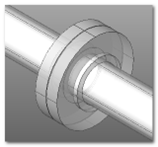
Top_ArcAlignedText

Text on Arc
What
Places text along an arc.
Why
It is used to arrange the characters of a text along an arc.
How
Once the command is started, the user is prompted to select an arc on which to create a new text.
At this point, it is possible to modify an existing text already placed along that arc, or to create a new one by pressing ENTER (or using the right mouse button).
If the selection is considered valid, the application will display the dialog shown in the figure, from which all the settings for the text to be inserted can be configured.