BoM Management

BOM Management
What
Allows the configuration of Bills of Materials (BOMs).
Why
The Bill of Materials (BOM) schematically represents the structure of a drawing. Based on the configuration defined in the TopBom.ini file, the BOM command displays the selected fields and aggregates the quantities of the various parts according to one or more key fields.
How
Upon selecting the command, a dialog box containing the Bill of Materials is displayed:
Within the dialog box, users can select any predefined Bill of Materials from the “BOM Type” list. Additionally, the “Selection” dropdown allows applying specific filters to the parts list generated from the BOM.
The “Export” button enables the selection of the desired output format for the BOM, such as Print, delimited ASCII, HTML, and other supported formats.
The “Draw” function allows graphical rendering of the BOM directly within the CAD workspace, using a DWG template file configured with the attributes to be displayed. This mechanism is analogous to the TAB0.DWG file used for ballooning tables (see Section 4.2, Customization Drawing Files).
Each row of the BOM supports direct editing of the attributes associated with the corresponding parts via the context menu (right-click).
Support for subtotal calculation and visualization is also available. This feature is configured through the TopL_DistConf command, where subtotals can be enabled via a dedicated option.
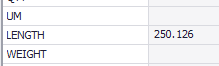
If subtotals are defined for a given BOM, upon invocation of the Topl_Distinta command, the dialog box is extended with an additional panel located below the main BOM view, displaying the computed subtotals. In the example below, the subtotal for the QTA (Quantity) attribute has been enabled.